Disposition
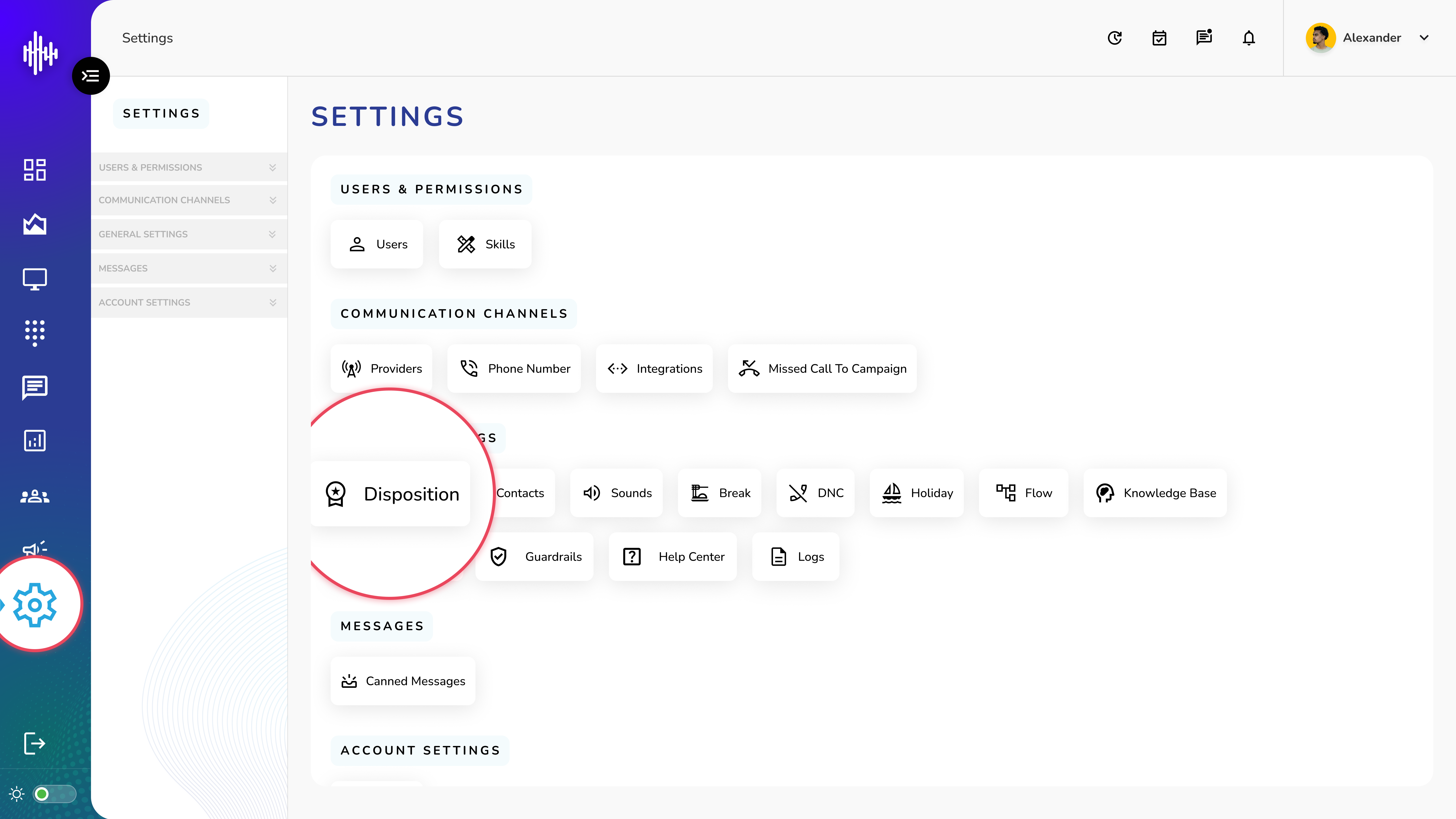
1. Login to your admin account
2. Click "Settings" from the left side menu
3. Click “Disposition” to access the Disposition's details.
Disposition Management Guide
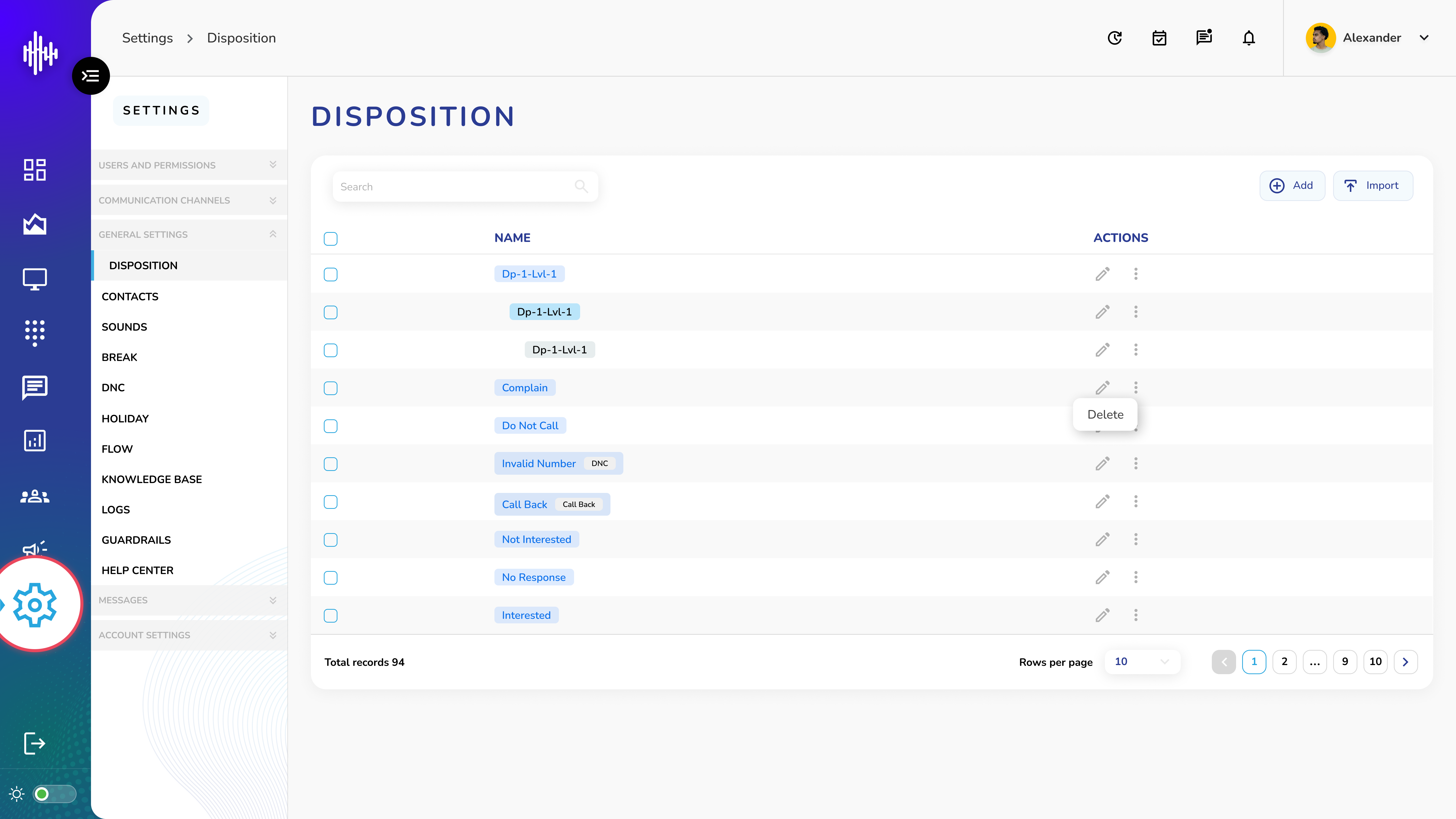
Disposition List View
1. List View
a. Column: Name
b. Actions:
i. Edit (Pencil icon)
ii. Delete (Three dots menu)
2. Three-Level Disposition Structure
Multi Level Disposition
Level 1
    └── Level 2
            └── Level 3
Features
-
Search functionality
-
Import/Export options
-
Add new dispositions
-
Hierarchical organization
-
Pagination controls
Add New Disposition Guide
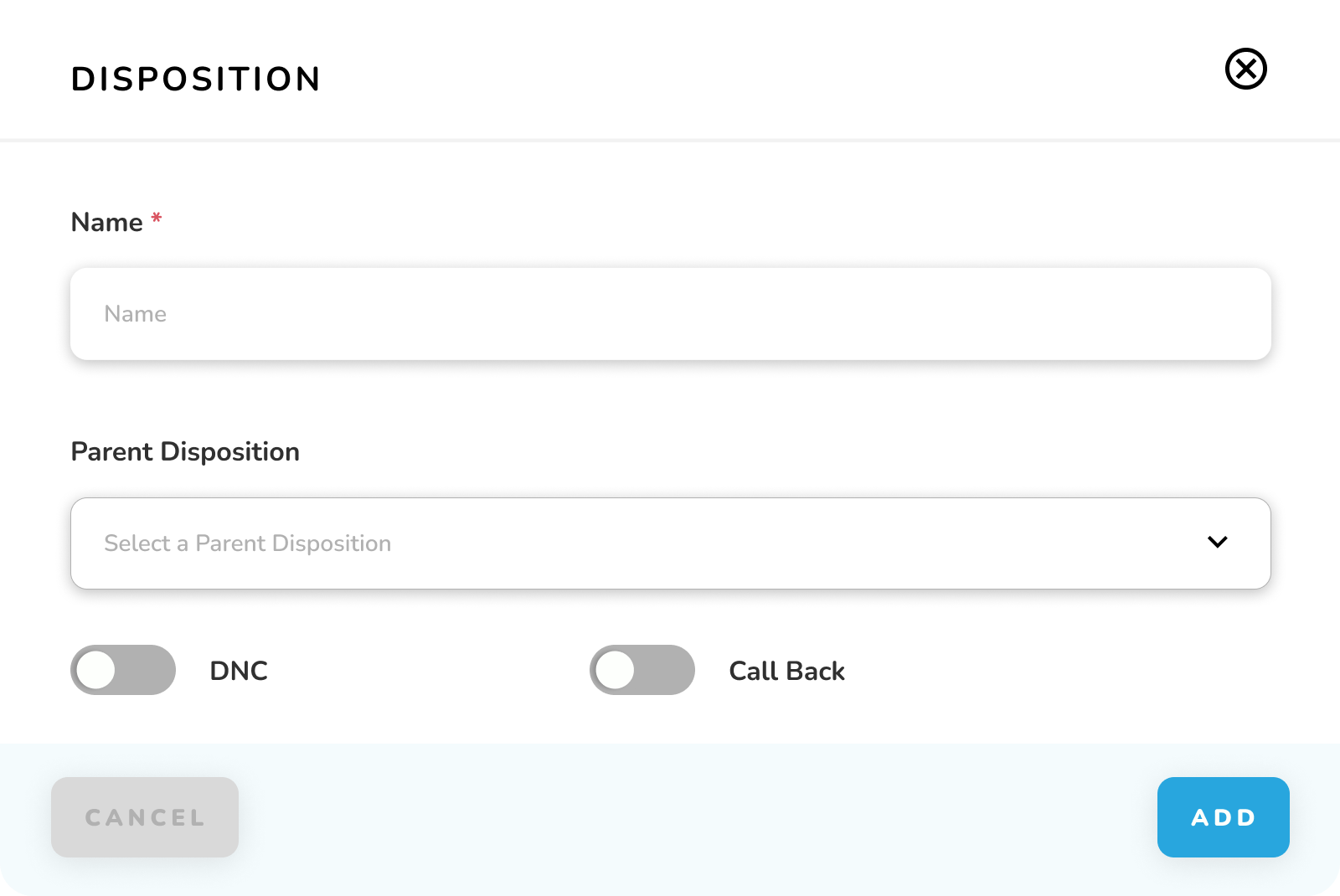
Required Fields
| Field | Description | Required |
|---|---|---|
| Name* | Disposition identifier | Yes |
| Parent Disposition | Select parent for multi-level disposition | No |
| DNC (Do Not Call) | Toggle to enable "Do Not Call" status | No |
| Call Back | Toggle to enable "Call Back" status | No |
note
Only one toggle can be enabled at a time.
Steps
1. Enter disposition name
2. Optional: Select parent disposition for hierarchy
3. Enable either DNC or Call Back if needed
4. Click "ADD" to save