Admin Dashboard
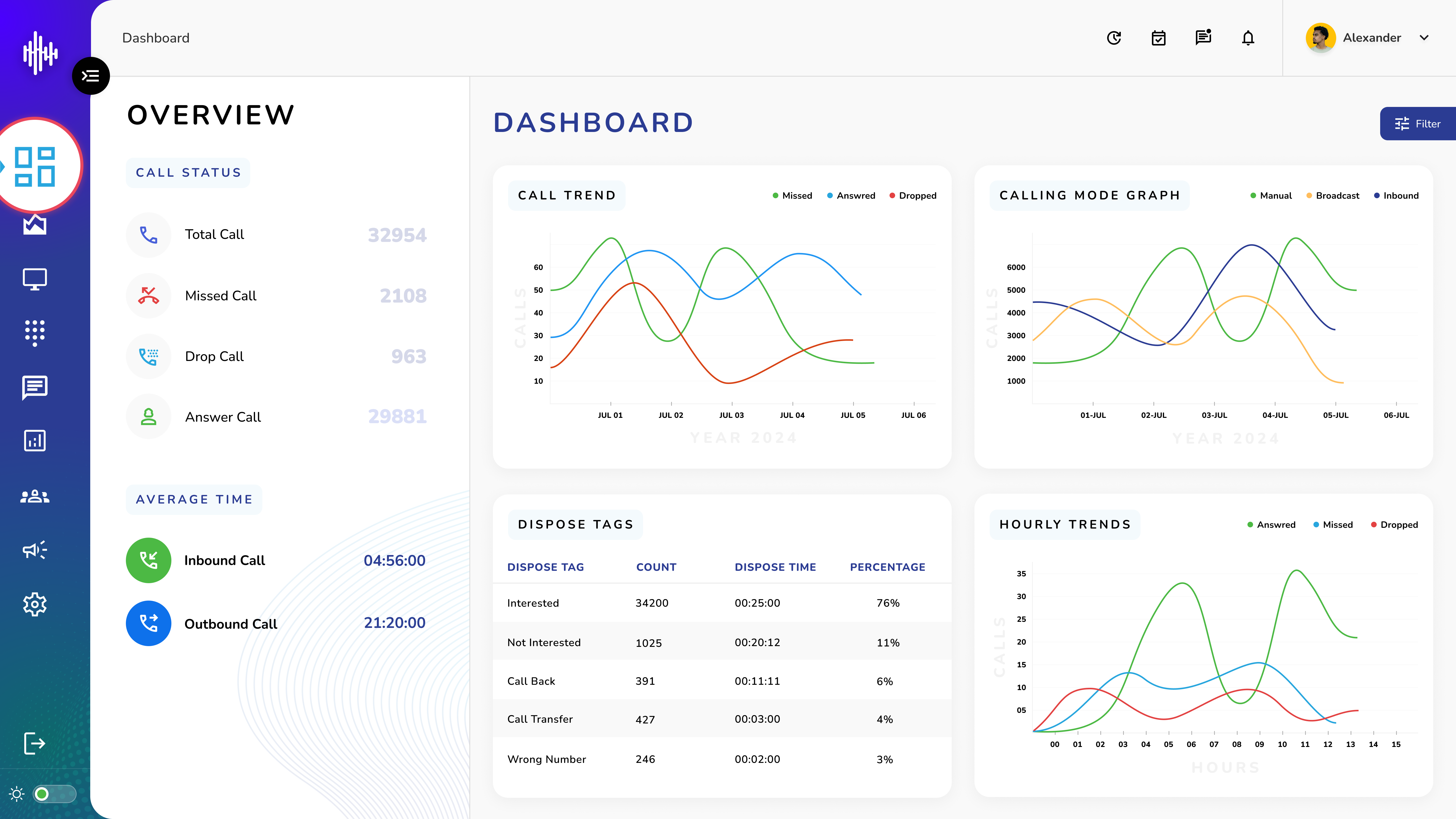
Admin Dashboard Overview
The admin dashboard is your central hub for monitoring and managing call center operations.
Admin Dashboard Reference Guide
| Category | Feature | Description |
|---|---|---|
| Navigation Menu | Dashboard | Main overview of all activities |
| Live Monitor | Real-time call and agent monitoring | |
| Dial-pad | Make direct calls from the system | |
| Message Setting | Configure messaging parameters | |
| Reporting | Access detailed reports | |
| Teams | Manage team structures and assignments | |
| Campaigns | Set up and monitor calling campaigns | |
| Settings | System configuration options | |
| Call Status Cards | Total Calls | Shows all calls handled by the system |
| Missed Calls | Calls that weren't answered | |
| Dropped Calls | Calls disconnected by system or technical issues | |
| Answer Calls | Successfully connected calls | |
| Average Inbound Call Time | Mean duration of incoming calls | |
| Average Outbound Call Time | Mean duration of outgoing calls | |
| Call Trend Graph | Total Calls | Overall call volume |
| Answer Calls | Successfully connected calls | |
| IVR Dropped Calls | Calls dropped during IVR menu | |
| Auto Dropped Calls | System-dropped calls | |
| Auto Failed Calls | Failed connection attempts | |
| Calling Mode Graph | Manual Calls | Calls initiated by agents |
| Inbound Calls | Calls received from customers | |
| Dispose Summary | Dispose Name | Call outcome category |
| Count | Number of calls in each category | |
| Dispose Time | Time spent in disposition | |
| Percentage | Distribution of outcomes | |
| Hourly Trends Graph | Inbound Answer | Hourly successful incoming calls |
| Outbound Answer | Hourly successful outgoing calls | |
| Auto Failed | Failed automatic call attempts | |
| Auto Dropped | System-dropped calls by hour | |
| IVR Dropped | IVR system disconnections by hour | |
| Time Zone Selection | Adjust view to specific time zone | |
| Date Range Selection | Customize date period for data display |