Missed Call to Campaign
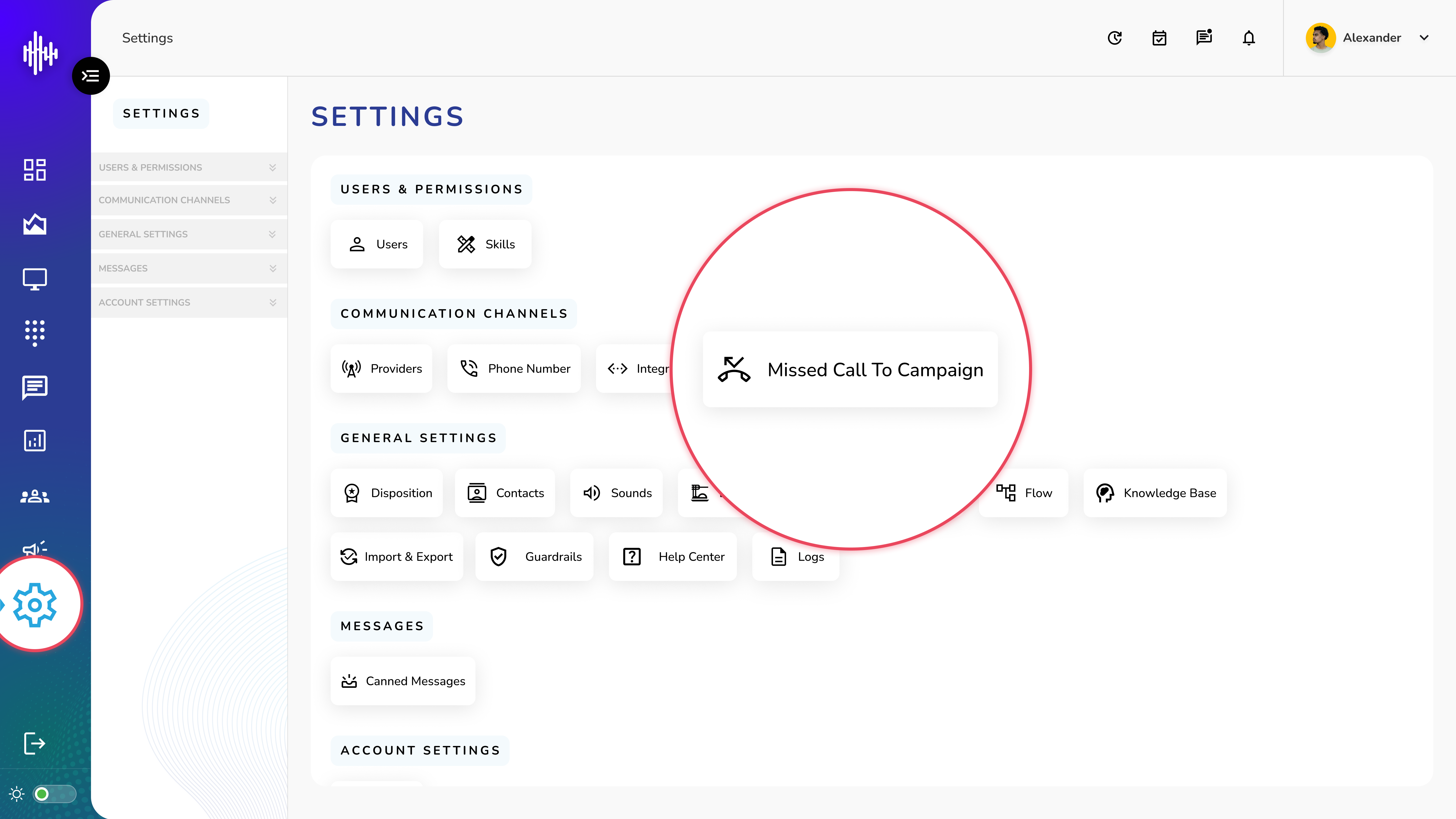
1. Login to your admin account
2. Click "Settings" from the left side menu
3. Click “Missed Call to Campaign” to access the Missed Call to Campaign's details.
Missed Call to Campaign Management Guide
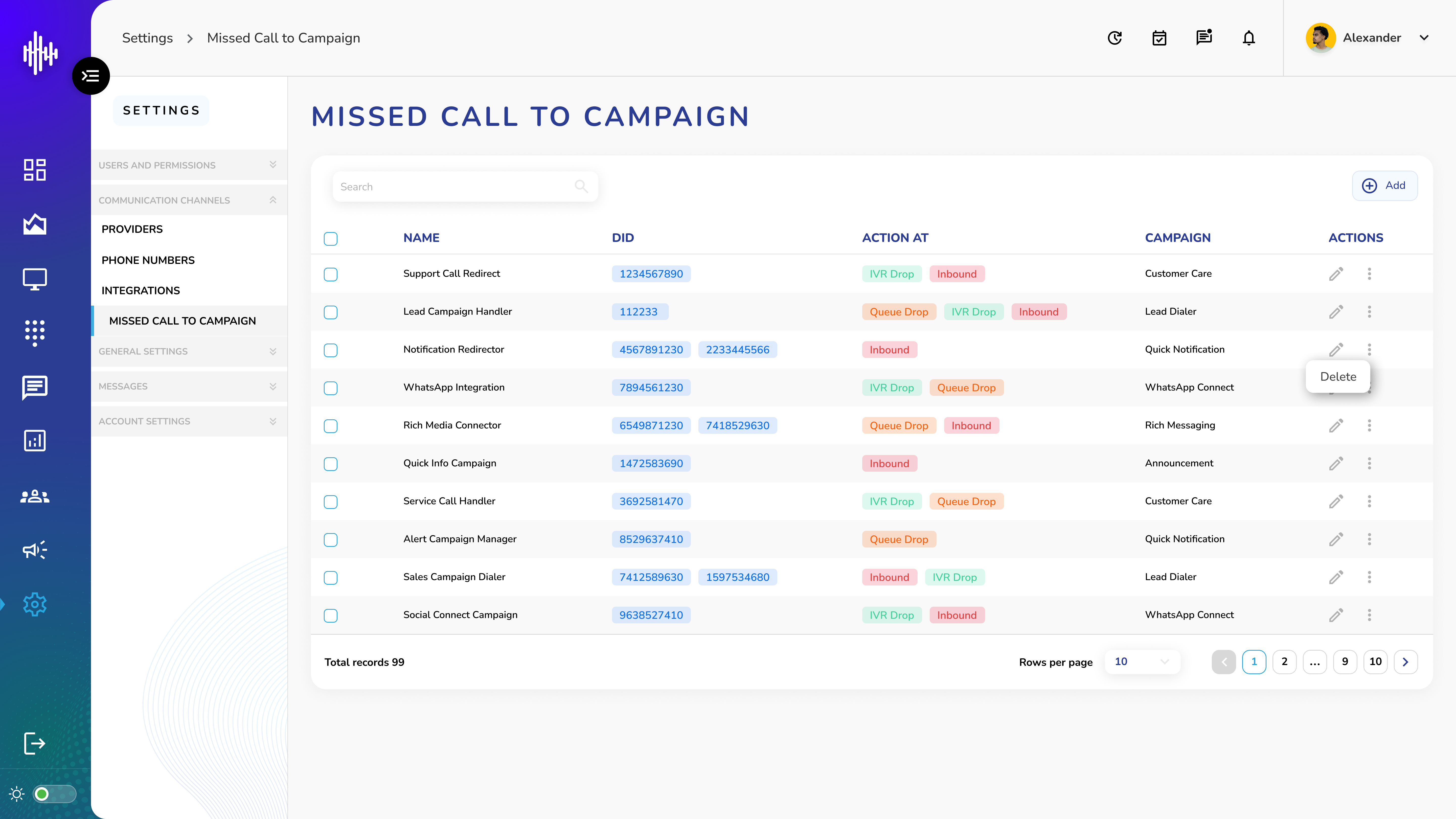
1. Missed Call to Campaign List View
| Column | Description |
|---|---|
| Name | Configuration name |
| DID | Direct Inward Dialing number(s) |
| Action At | Status tags (MISSED / IVR_DROP / QUEUE_DROP) |
| Campaign | Associated campaign name |
2. Available Actions
a. Edit (Pencil Icon)
i. Modify configuration settings
ii. Update campaign associations
iii. Change DID numbers
b. Options Menu (Three Dots)
i. Delete: Remove configuration
c. Status Tags Explanation
i. 🔴 MISSED: Direct missed calls
ii. 🟢 IVR_DROP: Calls dropped in IVR menu
iii. 🟠 QUEUE_DROP: Calls dropped while in queue
Additional Features
-
Search bar for quick filtering
-
"+Add" button to create new configuration
-
Pagination controls
-
Adjustable rows per page display
Important Notes:
-
Each DID can be associated with one campaign
-
Multiple DIDs can be added to one configuration
-
Status tags help track different types of missed calls
-
Verify campaign association before deleting
Add New Missed Call to Campaign Guide
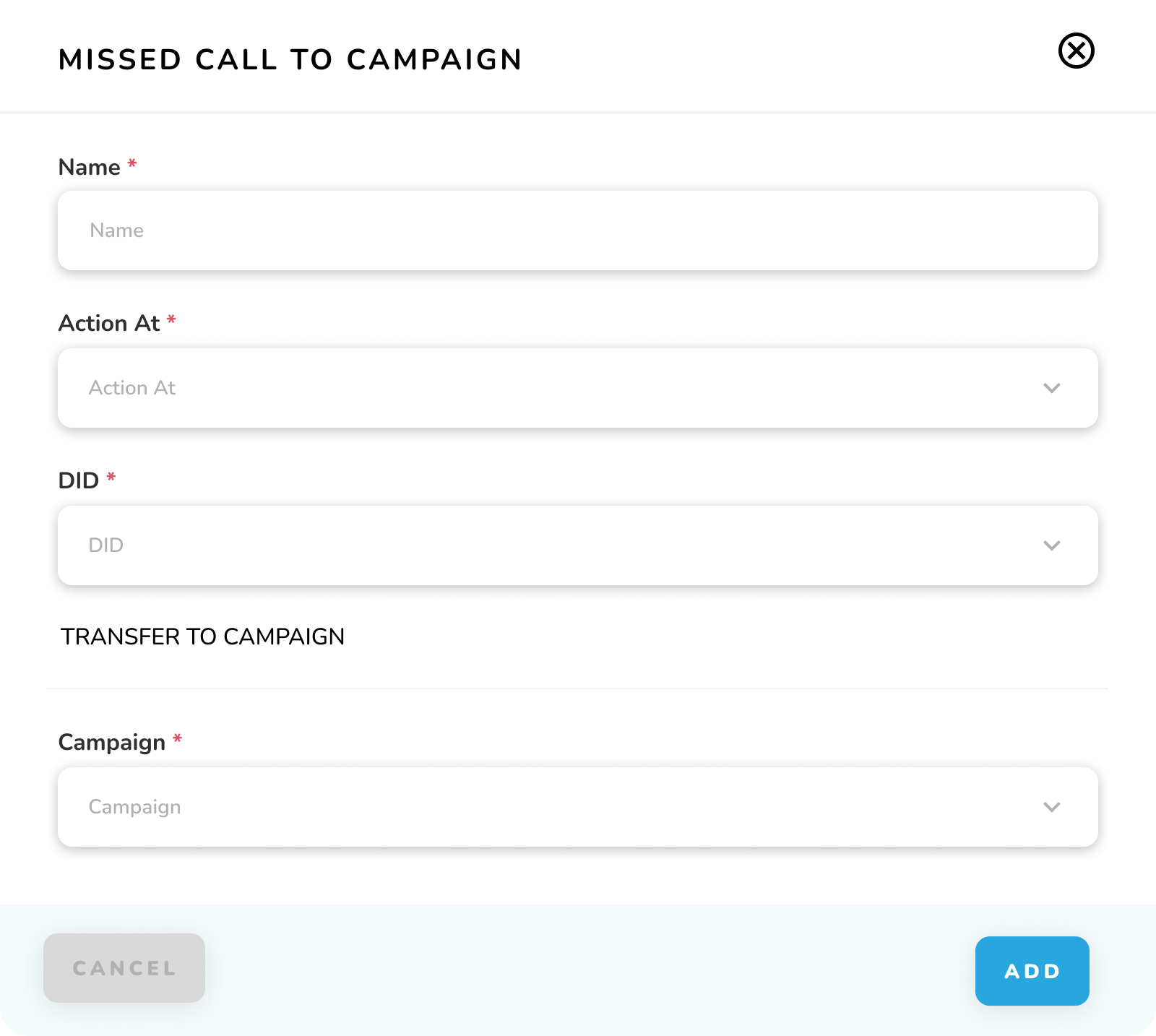
Add Configuration Form Fields
| Field | Description | Required |
|---|---|---|
| Name* | Enter configuration name | Yes |
| Action At* | Select trigger action: | Yes |
| • MISSED | ||
| • IVR_DROP | ||
| • QUEUE_DROP | ||
| DID* | Select Direct Inward Dialing number(s) | Yes |
| Campaign* | Choose campaign to transfer calls to | Yes |
1. Steps to Add Configuration
a. Enter Configuration Name
i. Provide a unique, descriptive name
ii. Used for easy identification
b. Select Action At
i. Choose when the campaign should trigger
ii. Options based on call status
c. Choose DID Number
i. Select from available DID numbers
ii. Associates phone number with campaign
d. Select Transfer Campaign
i. Choose target campaign for missed calls
ii. Campaign must be active
Action Buttons
-
CANCEL: Close without saving
-
ADD: Save new configuration
Important Notes:
-
All fields marked with * are mandatory
-
Each DID can only be associated with one campaign
-
Verify campaign is active before associating
-
Configuration takes effect immediately after saving